Configuration and advanced topics
Post registration configuration
Danger
Please change the superuser password immediately after deploying each
Kiosk!! There’s a script in OS2borgerPC Admin to do this.
Once the computer is connected to the OS2borgerPC Admin Portal and activated, the next steps depend on what you want to use your Kiosk computer for.
You have two options here:
Configure the computer to run OpenStream - our software for digital signage.
Configure the computer to run Chromium - and select the start page yourself.
Configure the computer to run OpenStream
This requires running the script “OS2borgerPC Kiosk - OpenStream Electron App Autostart”, which will download a custom Electron App meant to be used with OpenStream and configure the Electron App to start automatically on boot.
The script requires an API-key for your organization in OpenStream in order for the App/computer to connect to OpenStream.
For more information about this script, read its description on the OS2borgerPC Admin Portal.
Configure the computer to run Chromium
There are two scripts needed to do this.
The first is called “OS2borgerPC Kiosk - Chromium Installér” and will install the browser and setup minimum GUI capabilities.
When this script has run successfully, you can configure Chromium to start automatically on boot and configure the start page as needed. You do this by running the script called “OS2borgerPC Kiosk - Chromium Autostart”.
For more information about these scripts, read their descriptions on the OS2borgerPC Admin Portal.
Firewall setup
The OS2borgerPC client requires that the outbound firewall is open for the following domains:
Domain/IP |
Port |
Protocol |
Comment |
|---|---|---|---|
os2borgerpc-admin.magenta.dk |
443 |
TCP |
Used to check in with the admin portal, run scripts and similar operations |
os2borgerpc-media.magenta.dk |
443 |
TCP |
The scripts that involve files fetch the files here |
pypi.org |
443 |
TCP |
Used to install and update the client |
files.pythonhosted.org |
443 |
TCP |
Used by PyPi to install and update the client |
We also recommend that the outbound firewall is open for the following, but it is not a requirement.
Domain/IP |
Port |
Protocol |
Comment |
|---|---|---|---|
* |
123 |
UDP |
This will open for Network Time Protocol (NTP)[1] |
Advanced topics (not relevant for most people)
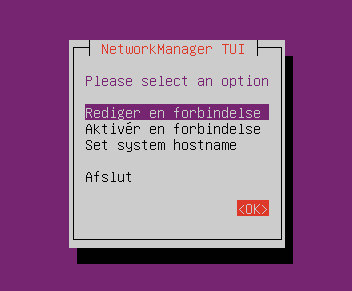
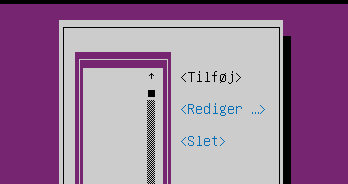
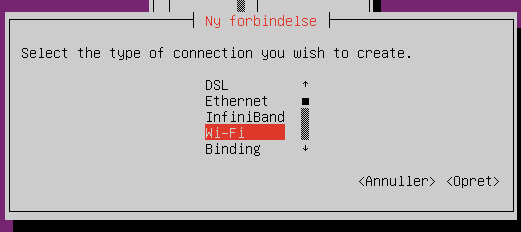
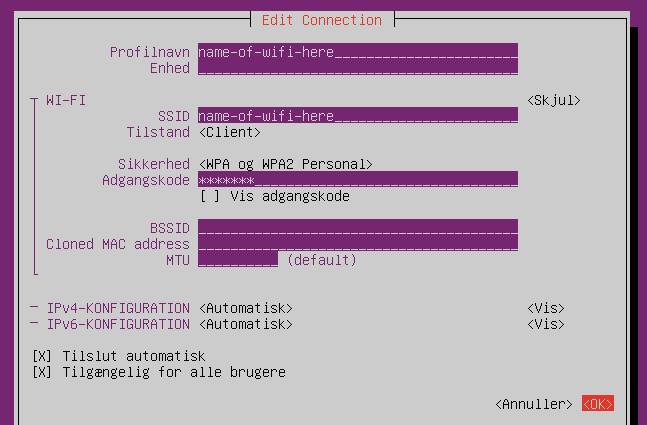
Switching to the HWE kernel (Hardware Enablement Kernel)
Note
The pre-downloaded HWE kernel is not available in our Kiosk images for RPi, as the hardware RPis contain is known and supported by the default kernel in the image.
In some rare cases, the computer might not be able to connect to the internet via ethernet or see any existing wireless networks because the standard kernel does not have the correct drivers for the network card(s). This can potentially be fixed by switching to the HWE kernel.
In order to install the HWE kernel, it is necessary to exit the installation wizard. This can be done before starting the wizard, as previously described, or by pressing Ctrl + C when the wizard is asking a question. Once you have exited the wizard, run the following command. You don’t need a network connection to run this command and install the HWE kernel:
sudo hwe_install
Installing the HWE kernel might take some time. After the HWE kernel has been installed, you will need to reboot the computer to allow it to switch to the HWE kernel. This can be done manually or by running the following command:
sudo reboot
The computer will now be using the HWE kernel.
Additional remote access
If you want additional remote access to this system, besides being able to run scripts on it from the admin system, you can run the script called “OS2borgerPC Kiosk - Installer SSH og VNC”. After this, you’ll be able to SSH to the machine and to see its display by connecting with a VNC client.
Danger
You must change the standard superuser password before or immediately
after running this script.
Note
You use superuser’s standard UNIX password to SSH. In order to
connect with VNC, you need to supply a specific VNC password as a
parameter for this script.